

Last updated: May 22, 2026
Not every AI tool is what it claims to be. Here is how to spot the fakes.
AI is the hottest word in technology right now, and scammers know it. Every week, new tools, apps, Chrome extensions, and services launch claiming to be “powered by AI” or “built on ChatGPT.” Some of them are genuinely useful. Many of them are overpriced wrappers around free tools. And some are outright scams designed to steal your data or your money.
The problem is that it is genuinely hard to tell the difference, especially if you are new to AI. This guide gives you the specific red flags to look for so you can protect yourself before you download, install, or pay for anything.
Quick Navigation
The “Powered by ChatGPT” Trap
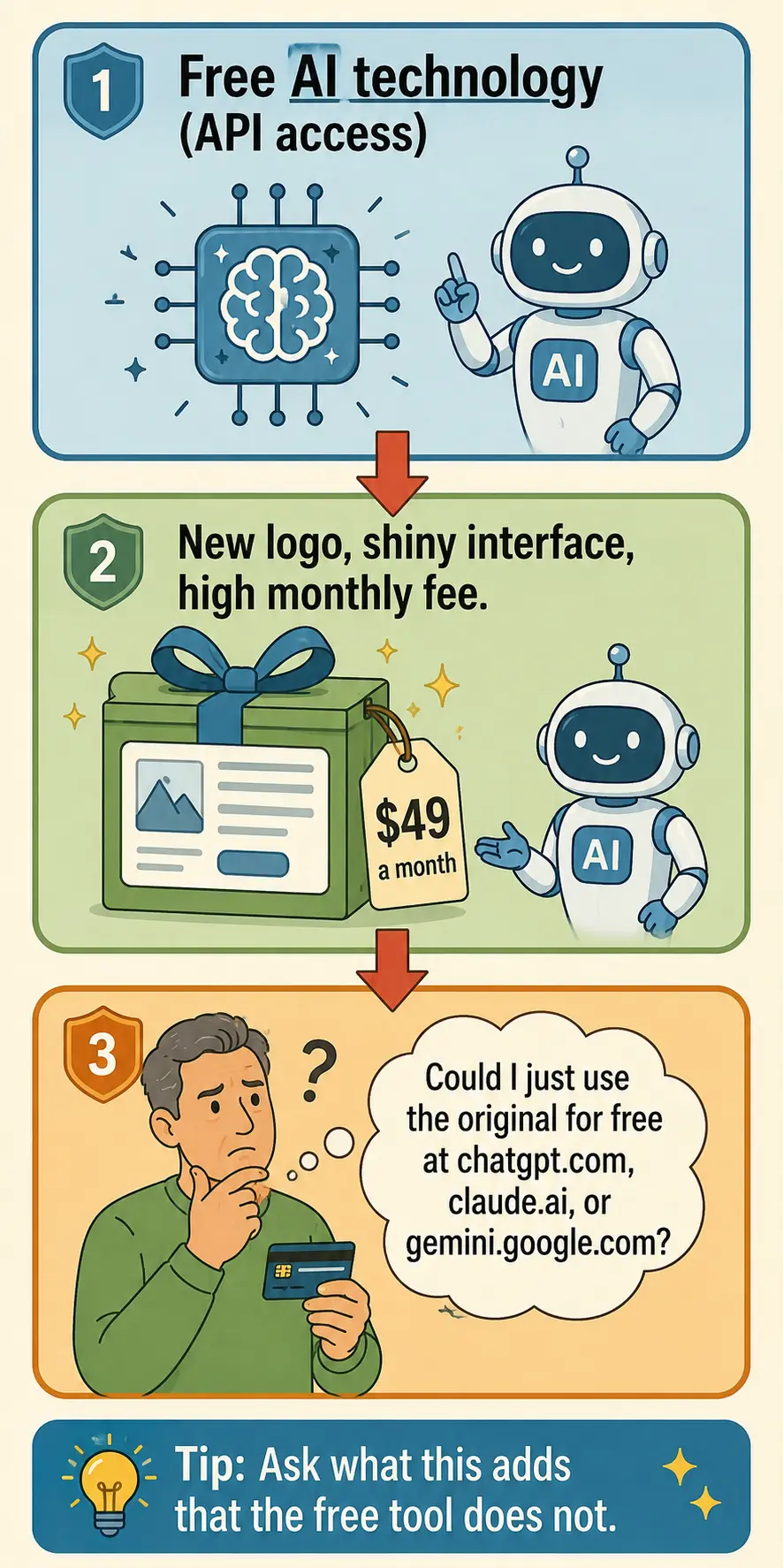
This is the most common trick in the AI scam playbook, and it is not always illegal, which makes it harder to spot.
Here is how it works. OpenAI, the company behind ChatGPT, sells access to its technology through something called an API. This means anyone — any developer, any company, any person with basic coding skills — can build a product that uses ChatGPT’s brain behind the scenes. They slap a new name on it, add a logo, build a simple interface, and sell it as their own “AI tool.”
The tool might work. It might actually give you answers generated by the same technology as ChatGPT. But you are paying for something you could get for free or for far less by going directly to chatgpt.com, claude.ai, or gemini.google.com.
Some of these wrapper products add genuine value — better interfaces, specialized workflows, or features tailored to a specific task. But many of them add nothing except a higher price tag and a layer of mystery about what is actually happening with your data.
How to spot it: If a tool claims to use “advanced AI” but does not clearly explain what makes it different from ChatGPT, Claude, or Gemini, it is probably just reselling access to one of those tools. Ask yourself: can I do this same thing for free on the original platform? If yes, you do not need the wrapper.
Chrome Extension Dangers
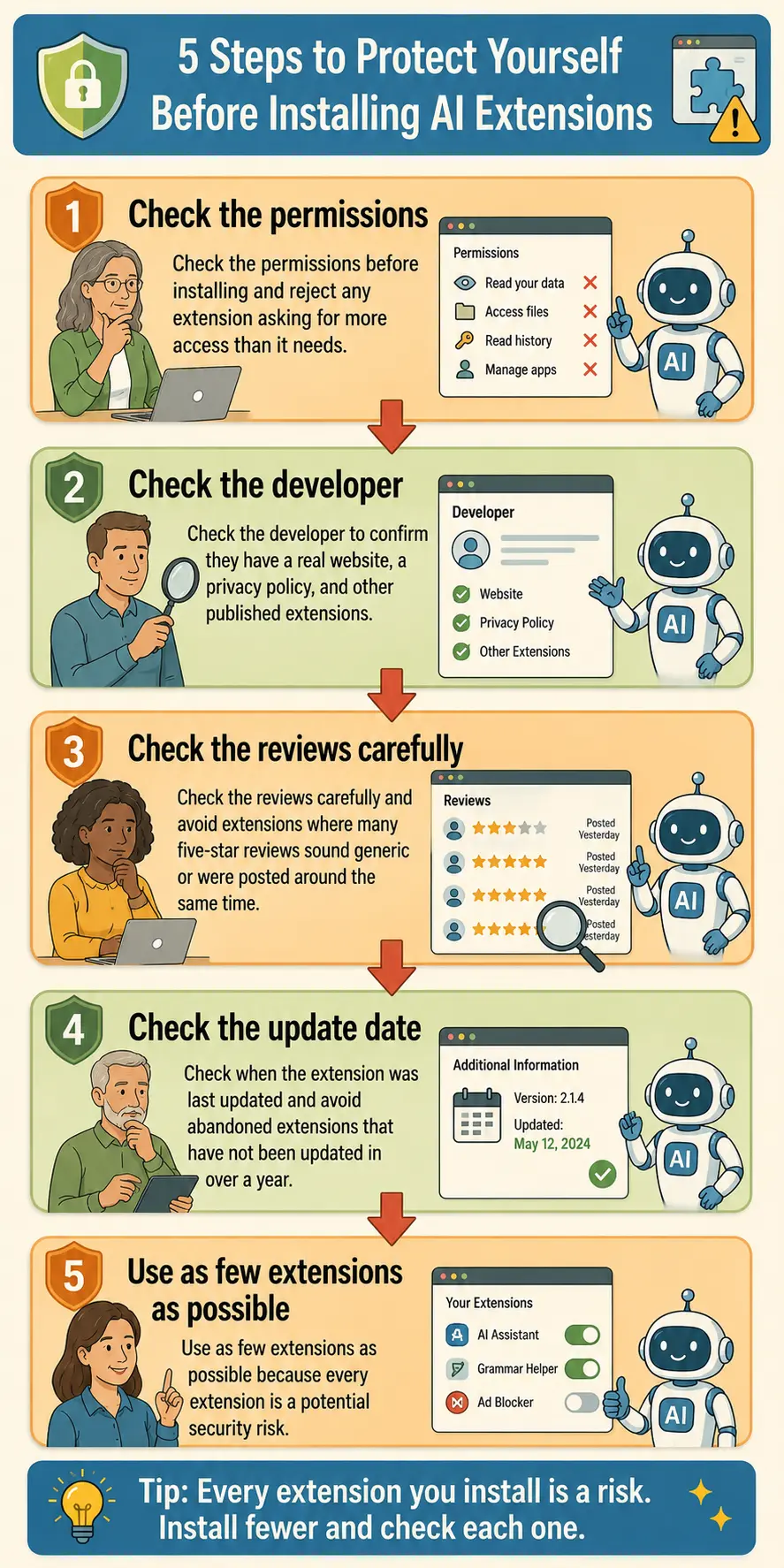
AI-related Chrome extensions have exploded in popularity, and they are one of the riskiest categories of AI tools for everyday users.
A Chrome extension is a small program that runs inside your web browser. When you install one, you are often giving it permission to read the content of web pages you visit, access your browsing history, and sometimes even read what you type into forms and search bars.
A legitimate AI extension might help you summarize web pages, rewrite emails inside Gmail, or generate text in Google Docs. But a malicious one can harvest your browsing data, steal login credentials, inject ads into web pages, or redirect you to phishing sites — all while appearing to be a helpful AI assistant.
The Chrome Web Store does have a review process, but it is not airtight. Malicious extensions regularly slip through, sometimes racking up thousands of downloads before they are caught and removed.
How to protect yourself:
Check the permissions before installing. If an AI writing assistant asks for permission to “read and change all your data on all websites,” that is a red flag. A tool that helps you rewrite text should not need access to every site you visit.
Check the developer. Is the extension made by a company you recognize? Does the developer have a real website, a privacy policy, and other published extensions with good reviews? If the developer is anonymous or has no web presence, be cautious.
Check the reviews carefully. A large number of five-star reviews that all sound generic or were posted around the same time is a sign of fake reviews. Look for detailed reviews from real users who describe specific experiences.
Check when it was last updated. A legitimate extension is updated regularly. If the last update was a year ago, it may be abandoned or no longer safe.
Use as few extensions as possible. Every extension you install is a potential security risk. If you can do the same thing by going directly to the AI tool’s website, skip the extension entirely.
Red Flags in AI Marketing
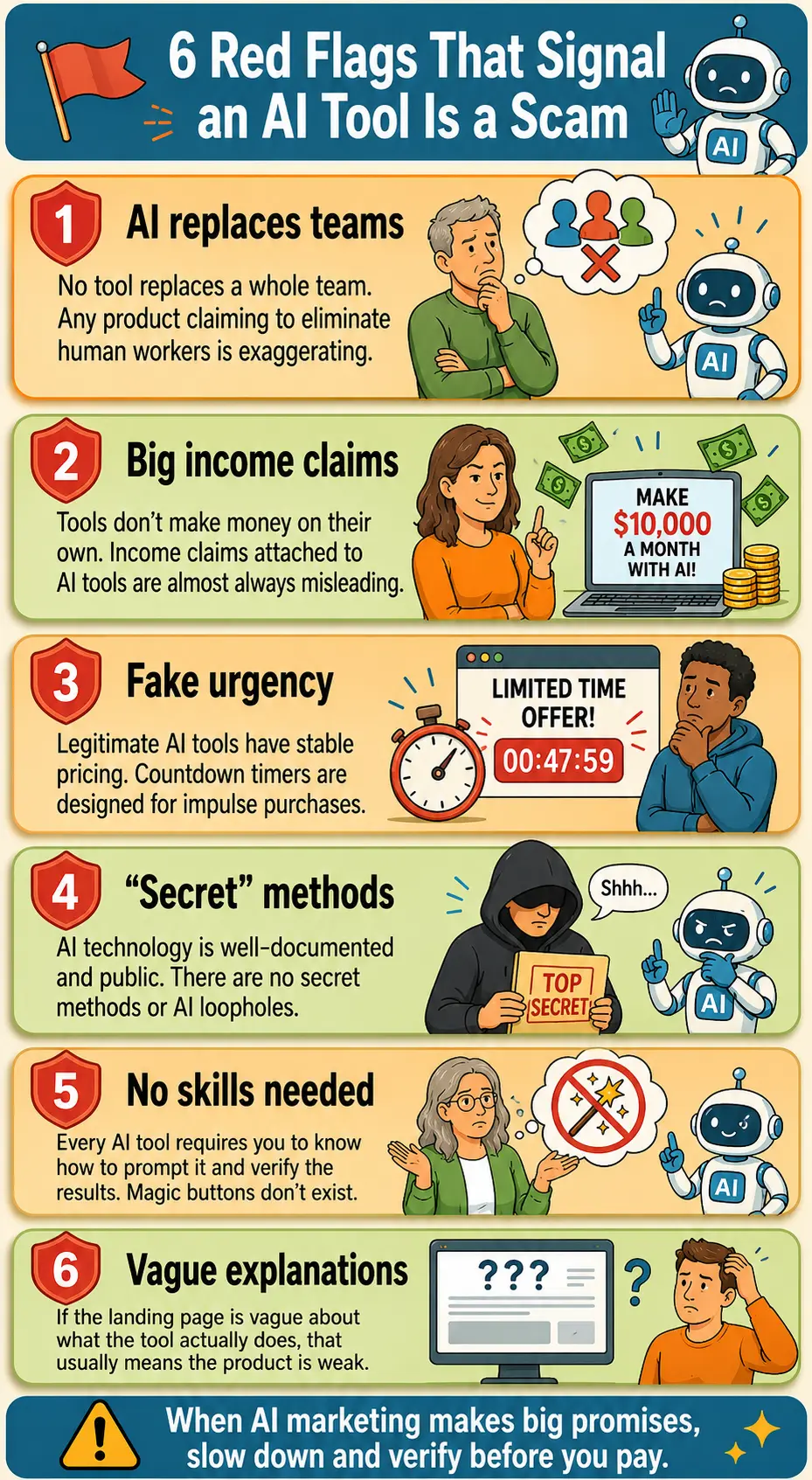
Scam AI tools share a set of marketing patterns that become easy to recognize once you know what to look for.
“This AI tool will replace your entire team.” No tool replaces an entire team. AI is good at specific tasks — writing, summarizing, brainstorming, organizing. Any product claiming it will eliminate the need for human workers is exaggerating to sell you something.
“Make $10,000 a month with AI.” Income claims attached to AI tools are almost always misleading. The tool itself does not make you money. It helps you do work that might make you money, if you already have a business, a skill, and a market. Anyone promising passive income from an AI tool is selling a fantasy.
“Limited time offer — price goes up tonight.” Fake urgency is one of the oldest sales tricks. Legitimate AI tools — ChatGPT, Claude, Gemini, Copilot — have stable, published pricing. If a tool is pressuring you with countdown timers and “last chance” messaging, it is optimizing for impulse purchases, not value.
“Secret AI method” or “AI loophole.” There are no secret AI methods. The technology is well-documented and publicly available. If someone is selling you a “secret” or a “loophole,” they are selling you a marketing angle, not a real product.
“Works automatically — no skills needed.” Every AI tool requires you to know how to use it effectively. The idea that you can press a button and get perfect results with no effort is a marketing lie. Good results come from good prompts, clear thinking, and verification — not from magic software.
No clear explanation of what the tool actually does. If you cannot figure out from the landing page exactly what the product does, how it works, and why it is better than the free tools already available, that is intentional. Vague marketing hides a weak product.
Free AI Tools You Can Trust
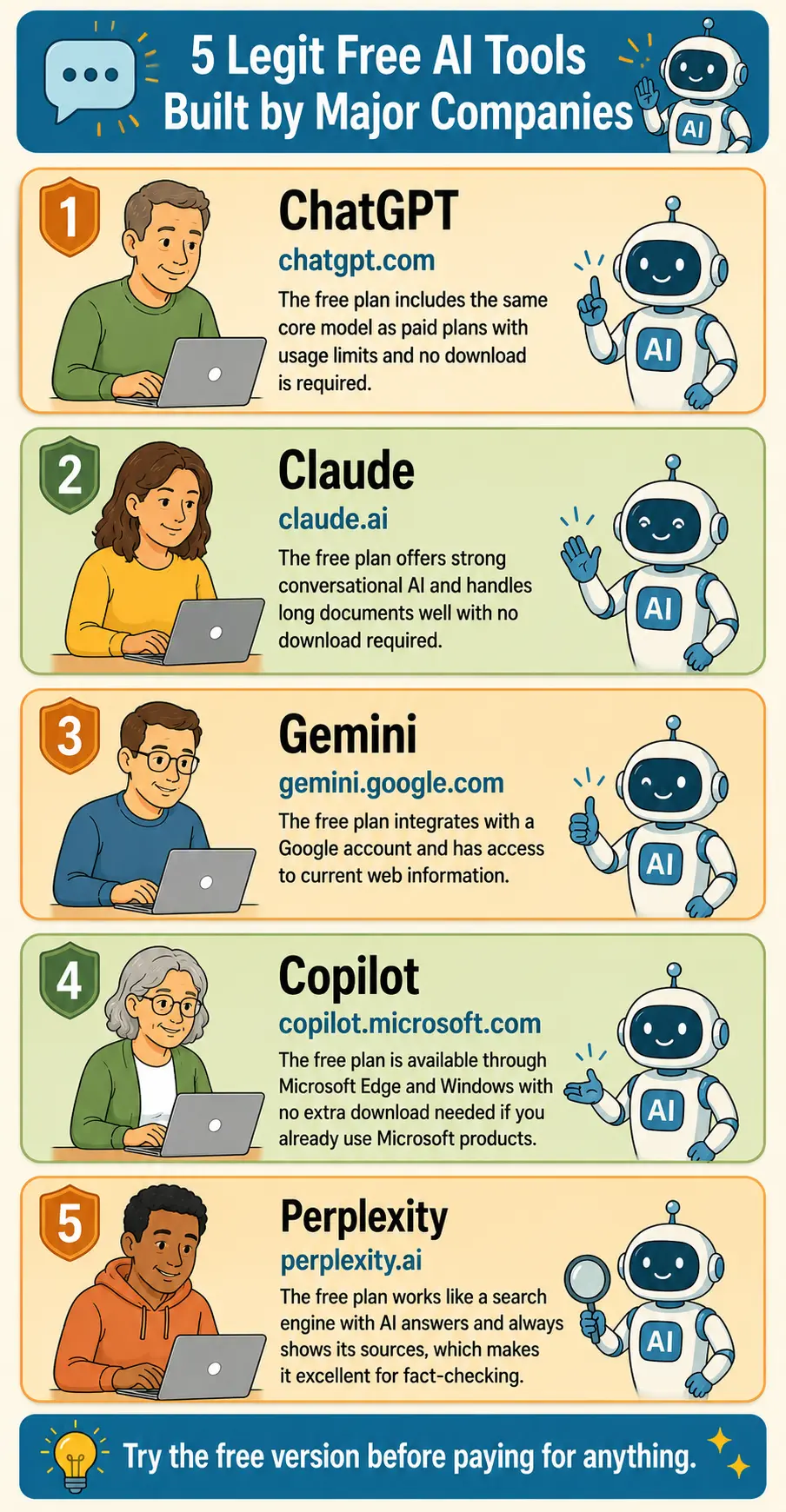
Before you pay for any AI tool, make sure you have tried the legitimate free options. These are built by the major AI companies, they are well-documented, and they do not require you to install anything suspicious.
ChatGPT at chatgpt.com — free plan includes the same core model as paid plans, with usage limits. No download required.
Claude at claude.ai — free plan offers strong conversational AI with good handling of long documents. No download required.
Gemini at gemini.google.com — free plan integrates with your Google account and has access to current web information. No download required.
Copilot at copilot.microsoft.com — free plan available through Microsoft Edge and Windows. No additional download required if you already use Microsoft products.
Perplexity at perplexity.ai — free plan works like a search engine with AI answers and always shows its sources. Excellent for fact-checking.
If a paid tool claims to do something these free tools cannot do, that claim should be specific and verifiable. If it is vague — “better AI” or “more powerful” — it is probably just reselling the same technology with a markup.
How to Evaluate Any AI Tool Before Paying
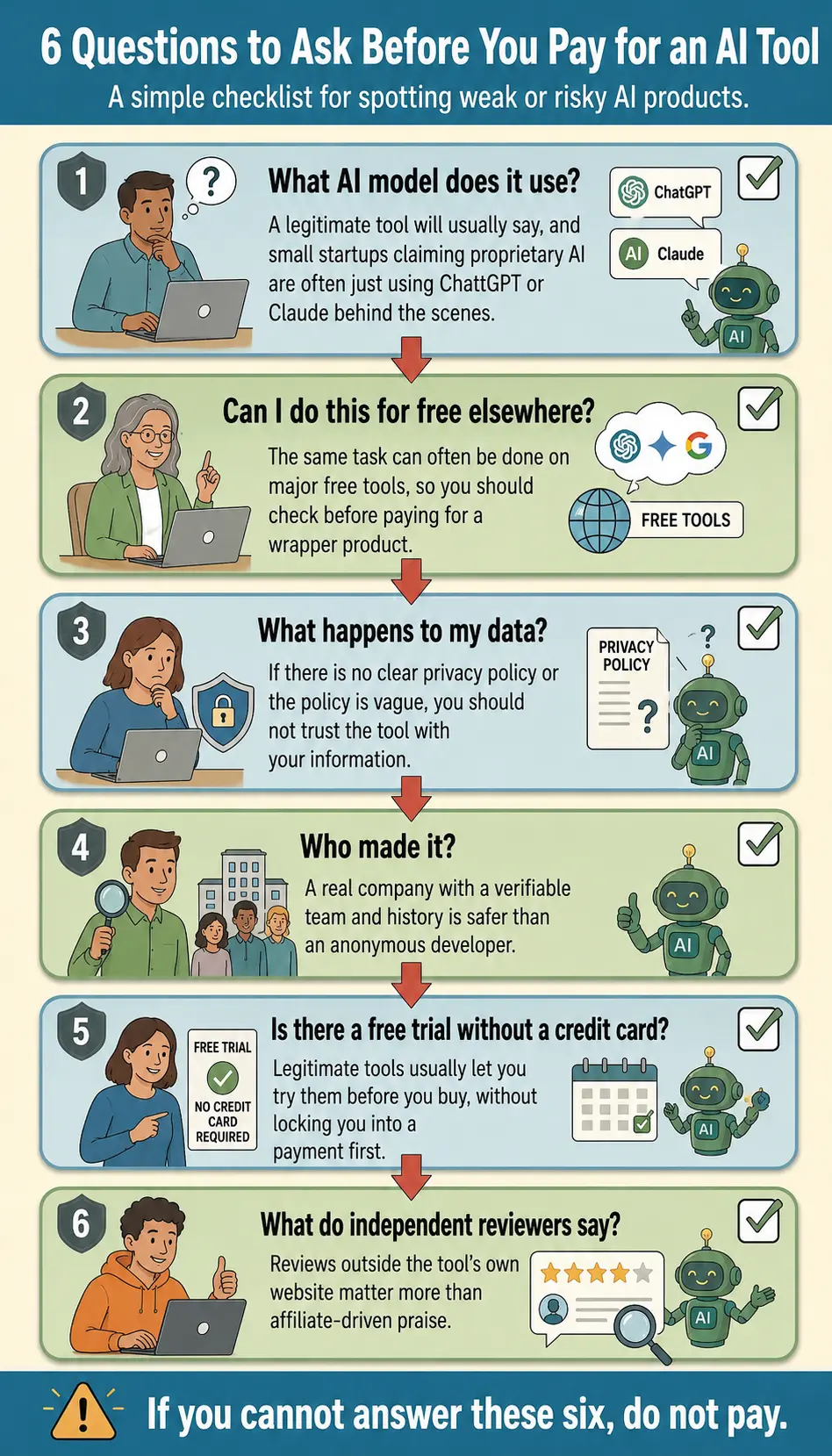
Before you spend money on any AI product, run it through this checklist.
What AI model does it use? A legitimate tool will tell you. If it says “proprietary AI” and the company is a small startup you have never heard of, it is almost certainly using ChatGPT, Claude, or another major model’s API behind the scenes.
Can I do this for free elsewhere? Try doing the same task on ChatGPT, Claude, or Gemini first. If the free tool gives you the same result, you do not need to pay.
What happens to my data? Does the tool have a clear privacy policy? Does it say what happens to the text you type into it? If there is no privacy policy, or if it is vague, do not use the tool.
Who made it? Can you find a real company with a real website, real team members, and a track record? Or is the developer anonymous with no verifiable history?
Is there a free trial without a credit card? Legitimate tools usually let you try before you buy. If the only way to see the product is to enter payment information first, be cautious.
What do independent reviewers say? Search for reviews outside the tool’s own website. Look for honest assessments from people who are not affiliates earning commissions from promoting it. If the only positive reviews are on the tool’s own landing page, that is a warning sign.
What to Do If You Already Installed Something Suspicious
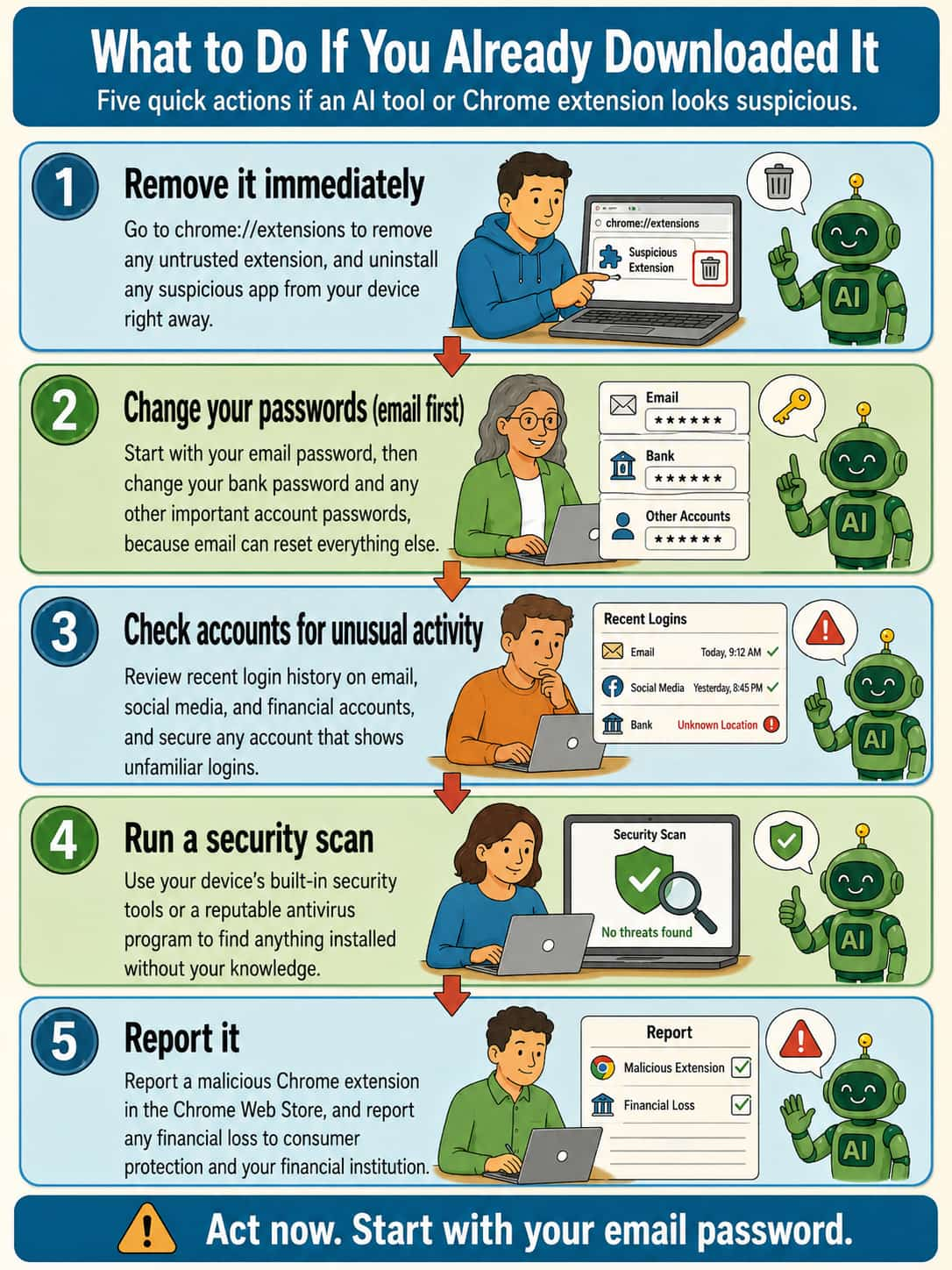
If you have already downloaded an AI tool or Chrome extension and you are now unsure about it, here is what to do.
Remove it immediately. For Chrome extensions, go to chrome://extensions in your browser and remove anything you do not trust. For apps, uninstall them from your device.
Change your passwords. If the tool had access to your browser or could see what you typed, change the passwords for your email, bank, and any important accounts. Start with your email, because email is the key to resetting everything else.
Check your accounts for unusual activity. Look at recent login history for your email, social media, and financial accounts. Most services show you where and when your account was accessed. If you see logins you do not recognize, secure the account immediately.
Run a security scan. Use your device’s built-in security tools or a reputable antivirus program to scan for anything that may have been installed without your knowledge.
Report it. If you believe you installed a malicious extension, report it in the Chrome Web Store. If you lost money to an AI scam, report it to your local consumer protection agency and your financial institution.
If you have been burned before by online business products that promised too much, you already know the pattern. AI is the new label on an old story. The tools that matter most are already free, built by the companies behind the technology itself: OpenAI, Anthropic, Google, and Microsoft. The wrappers and resellers are the ones asking for your money.
Before you pay for anything, try the free version first. Before you install anything, check the permissions and the developer. Before you believe any marketing claim, ask yourself whether it sounds too good to be true. It almost always is.
The best protection against AI scams is the same as it has always been: slow down, ask questions, and check before you click, install, or pay.
Related Guides
- When AI Won’t Help You Tell If an Online Business Offer Is Legit
- ChatGPT Free vs Paid: Is the Upgrade Actually Worth It?
- AI Reality Check: Tools to Pressure-Test Any AI Tool