

Last updated: April 25, 2026
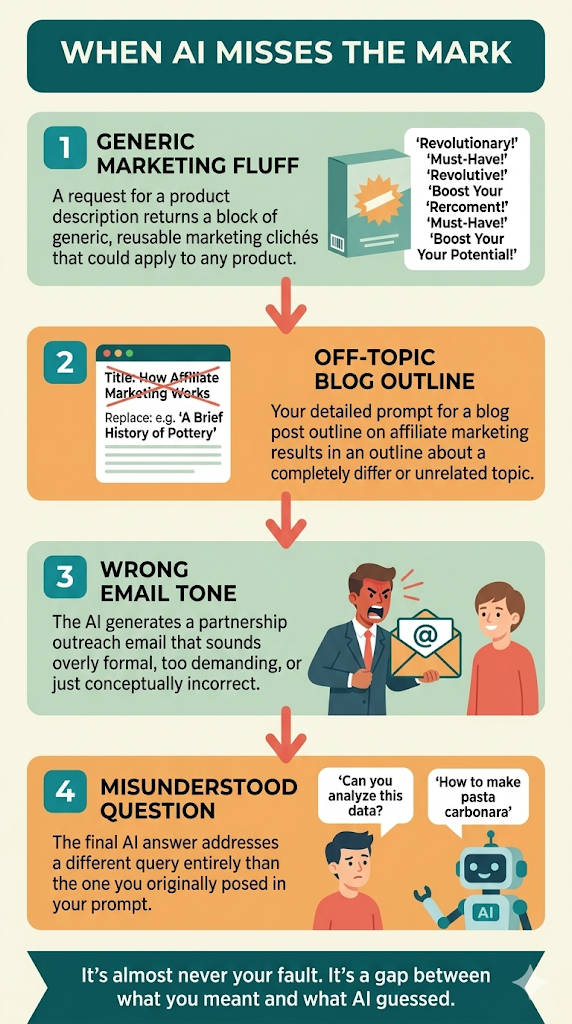
You typed something into ChatGPT. A product description, maybe. Or an outline for a post you were thinking about writing. Or an email asking someone if they wanted to partner with you on something. The prompt felt clear enough.
Then the answer came back. And it was completely off. Maybe it wrote you something generic that could apply to any product. Maybe it gave you a list when you wanted a paragraph. Maybe it answered a question you didn’t actually ask.
If you’re trying to figure out whether AI is even worth using for the kind of work an online business takes, this moment matters. Get past it, and AI becomes a real tool. Stay stuck on it, and you’ll either give up too early or trust the wrong outputs and end up shipping content that sounds like everyone else’s. So here’s what’s actually going on, and what to do about it.
Quick Navigation
Why AI Misses the Point
AI works by reading your words and predicting what a helpful answer would look like, based on patterns it learned during training. It can’t read your mind, and it doesn’t know your situation unless you tell it.
That’s why the same vague prompt gets you 10 different responses across 10 conversations. AI is guessing. And when it doesn’t have enough context, it guesses wrong.
The most common reasons it misses the point on business writing are simple to fix once you spot them.
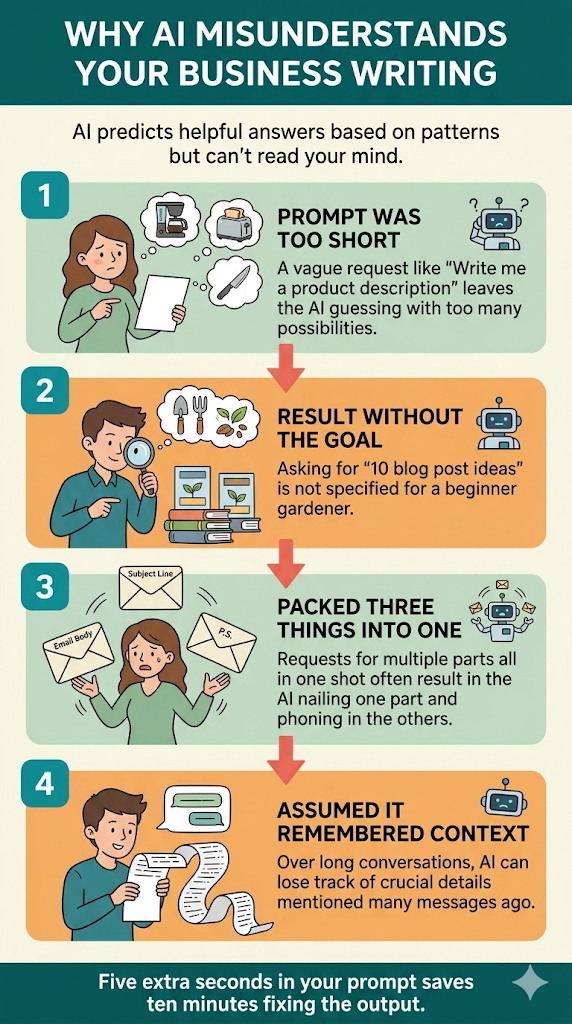
- Your prompt was too short. “Write me a product description” could mean anything. What product? For what audience? Long or short? Casual or formal? AI will pick the most generic interpretation, which is almost never what you needed.
- You asked for the result without telling it the goal. “Give me 10 blog post ideas” is not the same as “Give me 10 blog post ideas a beginner gardener would actually search for.” The goal shapes everything that follows.
- You packed three things into one prompt. If you ask for a subject line, a body, and a P.S. all in one shot, AI usually nails one and phones in the others.
- You assumed it remembered earlier context. In long conversations, AI can lose track of details from many messages back. It may answer your follow-up without the context you think it has.
The fix is learning how to talk to it. Five extra seconds in your prompt usually saves you 10 minutes of back-and-forth fixing the output.
The “Actually, I Meant” Fix
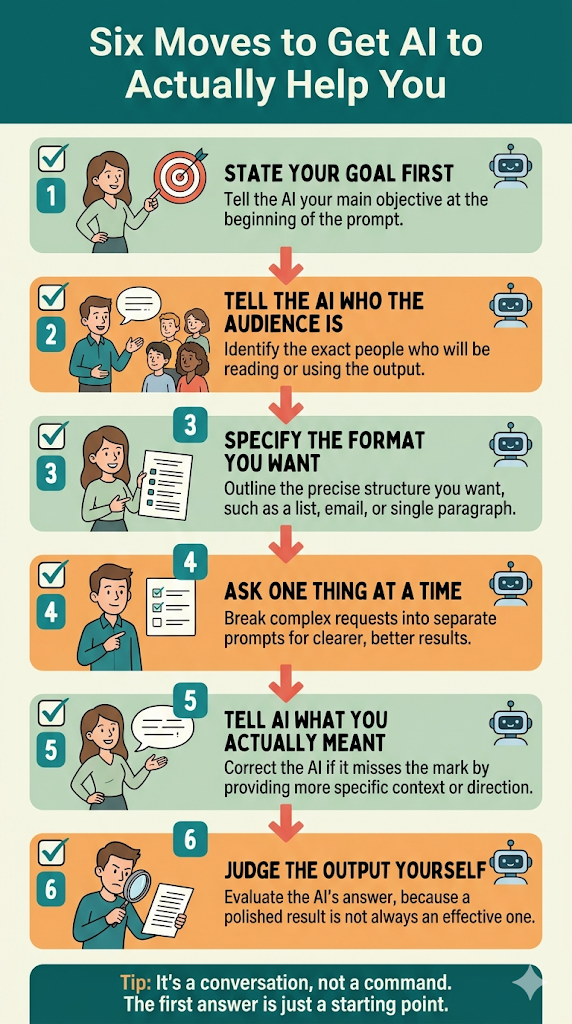
When AI gets it wrong, you don’t need to start over. Just tell it what you actually wanted. AI tools are built to use your correction as new context for the next response.
Here are the phrases that work across every tool I’ve tried.
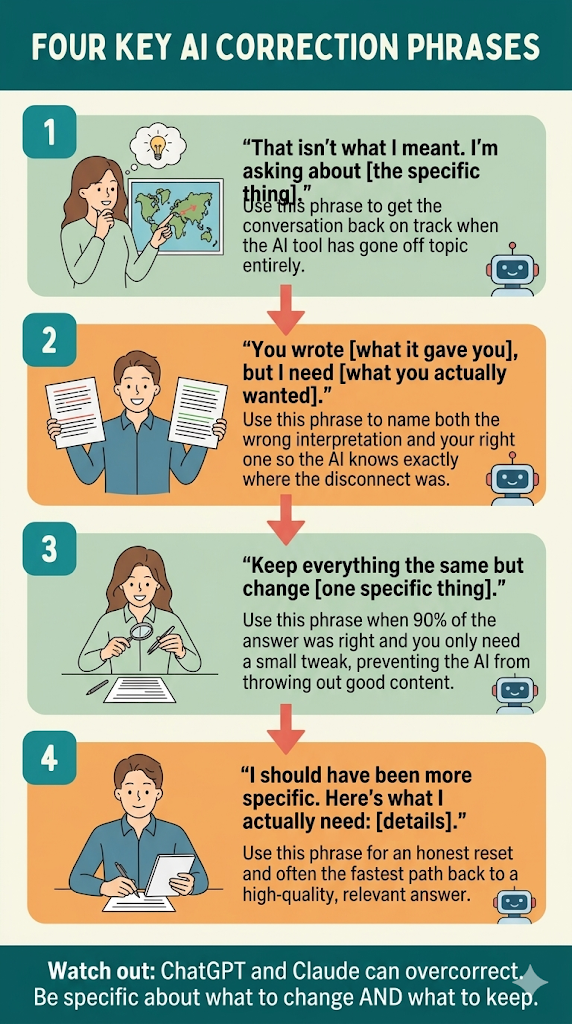
- “That isn’t what I meant. I’m asking about [the specific thing].” Direct and clear. Use this when the AI went off topic entirely.
- “You wrote [what it gave you], but I need [what you actually wanted].” This names both the wrong interpretation and the right one, so the AI knows exactly where the disconnect was.
- “Keep everything the same but change [one specific thing].” Use this when 90% of the answer was right and you only need a small tweak. Stops the AI from throwing out good content along with the bad.
- “I should have been more specific. Here’s what I actually need: [details].” Honest reset. Often the fastest path back on track.
One thing to watch out for: ChatGPT and Claude are agreeable by nature. If you push back too hard, they’ll sometimes overcorrect and swing too far the other way. Be specific about what to change AND what to keep.
Prompts That Get Misunderstood Less
Prevention beats correction. The biggest jump in output quality comes from a few small habits at the front end.
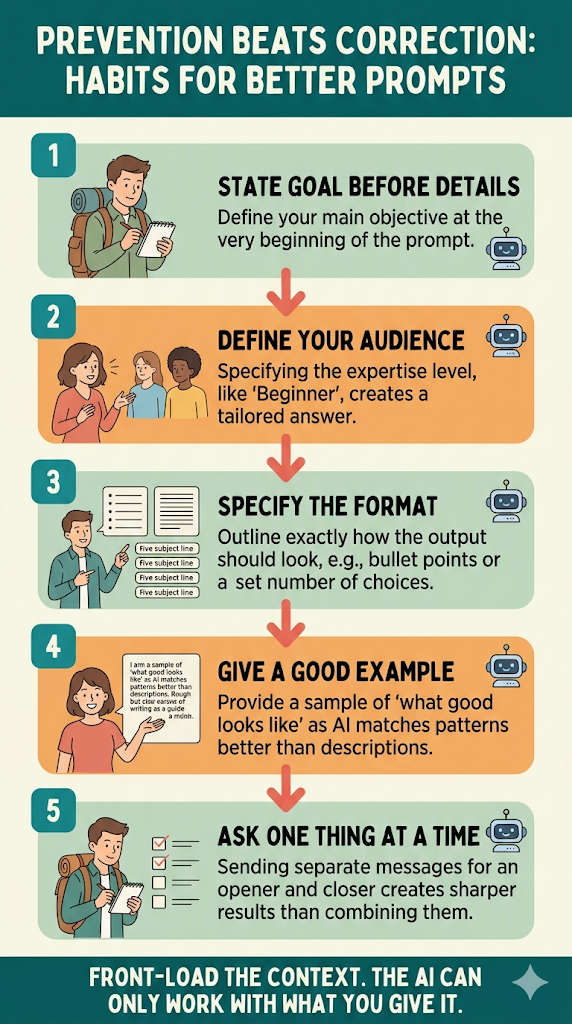
- State your goal before the details. “I’m writing a short product description for a $30 reusable water bottle aimed at hikers. I want it casual, around 80 words, focused on durability and weight.” Now the AI has a frame for everything that follows.
- Tell it who the audience is. “Beginner” gets a very different answer than “people who already know the basics.” If you don’t say, AI guesses, and it usually guesses average.
- Specify the format. Want bullet points? Say so. Want a single paragraph? Say so. Want exactly five subject line options? Say so. Format instructions kill an entire category of misunderstandings.
- Give an example of what good looks like. Even a rough sample. AI will match the pattern of an example far better than it can work from a description alone. “Here’s the tone I want: [paste example]. Now write something similar for [your topic].”
- Ask one thing at a time. If you need a subject line, an opener, and a closing line, ask for them in three separate messages. Each one will be sharper than if you packed them together.
Where AI Trips Up Most on Business Writing
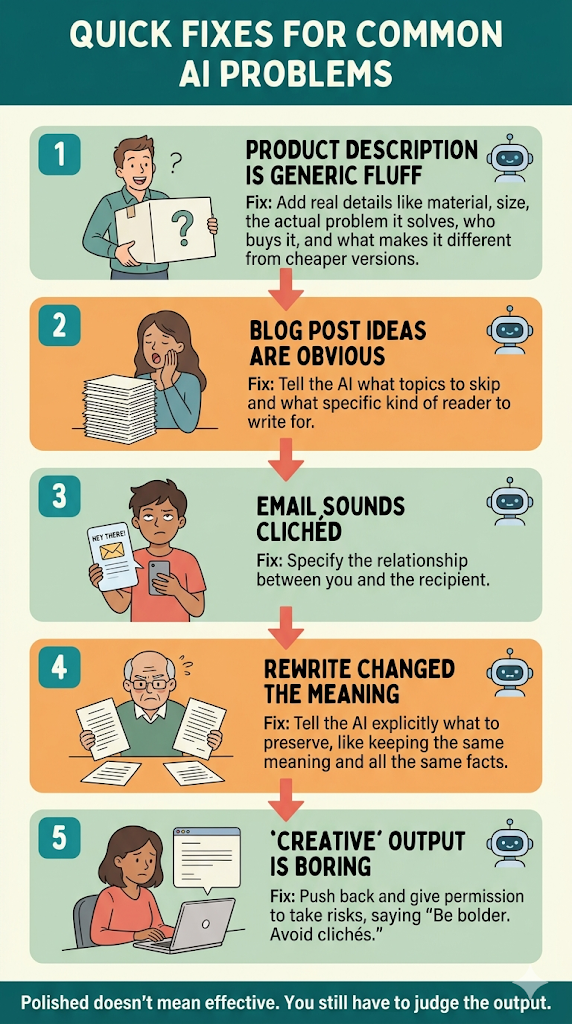
A few specific situations come up over and over when people try to use AI for online business work. Each one has a quick fix.
- You asked for a product description and got generic marketing fluff. Add real details. Material, size, the actual problem it solves, who buys it, and what makes it different from the cheaper version. Without specifics, AI defaults to filler.
- You asked for blog post ideas and got the same 10 obvious ones everyone has. Tell it what to skip. “Skip the obvious ones like ‘how to start a blog.’ Give me ideas a beginner is searching for at 11 p.m. when they’re frustrated.”
- You asked for an email and got something that sounds like every other marketing email. Specify the relationship. “This is going to someone who already follows me, has read three of my posts, and signed up for my list two weeks ago.” That changes the tone completely.
- You asked it to rewrite something and it changed the meaning. Tell it what to preserve. “Rewrite this to sound more casual but keep the same meaning and all the same facts. Don’t add or remove anything.”
- You asked it to be creative and it gave you something boring. Push back and give it room to take risks. “Be bolder. Avoid clichés. I’d rather have something imperfect and interesting than polished and forgettable.”
One more thing worth knowing. AI doesn’t know what your real audience actually responds to. It can write something that sounds polished, but sounding polished and being effective are two different things. You’re still the one who has to judge whether the output is useful or just smooth-sounding nonsense. Don’t outsource that part. (For more on that, here’s what AI actually knows vs. what it’s guessing.)
The Bottom Line
AI works by guessing what you want based on the words you give it. When the guess is wrong, the fix is almost always quick: tell it what you actually meant, add the context it was missing, or restart with a clearer prompt.
The real skill is knowing how to redirect when the answer misses. That part matters more than writing a perfect prompt the first time, and it improves every time you practice it. It also translates to every AI tool you’ll ever use.
If you’re testing AI to figure out whether it’s worth building any kind of online business around, give it a fair shot before you decide. Don’t write it off based on one bad output, and don’t trust it blindly either. Learn how to talk to it, then judge whether what comes out is actually useful. That part nobody can do for you. (Worth reading next: why being more specific sometimes gets you worse answers.)
Want to keep going? How to ask ChatGPT a question so it actually understands you is the natural companion to this post and covers how to write prompts so AI doesn’t go off track in the first place. 5 things ChatGPT is good at and 5 things it is bad at sets honest expectations for what AI can actually do for you. And if you’re weighing whether to spend money on AI tools at all, how to know if an AI tool is actually a scam is worth reading before you do.