

Last updated: April 19, 2026
If you have only ever tried ChatGPT, you might assume it is the only serious option. It is not. There are now four major AI tools available to everyday users, and three of them have a free version that is genuinely useful. Before you pay for anything, it is worth understanding what each one does well and where it falls short.
This is not a technical deep dive. It is a plain comparison for someone who wants to use AI to get things done and does not care about the engineering behind it. The four tools are ChatGPT from OpenAI, Claude from Anthropic, Gemini from Google, and Copilot from Microsoft. Here is what you actually need to know about each one.
Quick Navigation
ChatGPT: The One Everyone Has Heard Of
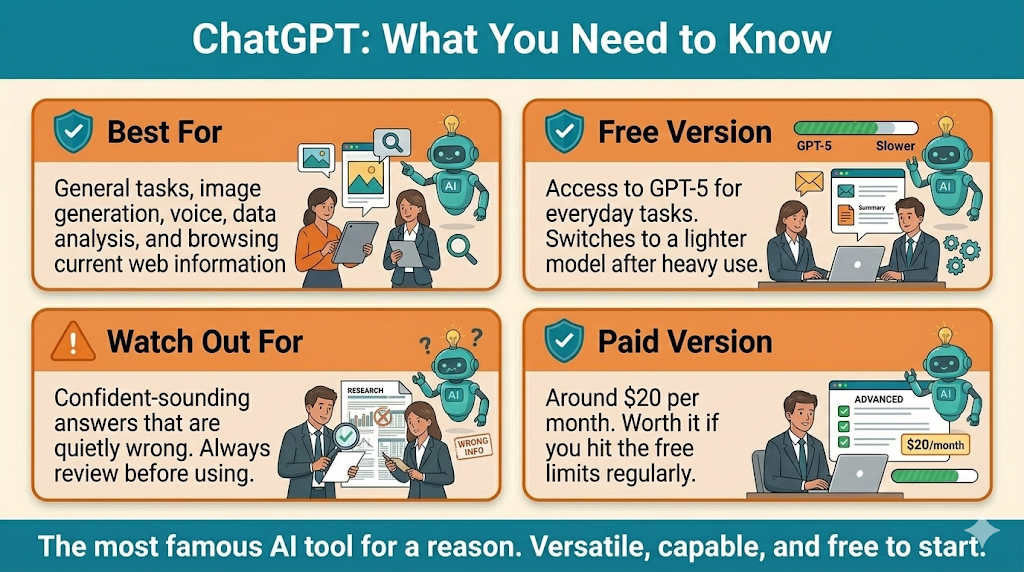
ChatGPT is the tool that put AI on the map for most people, and for good reason. It is capable, flexible, and has been around long enough to have a huge library of guides, tutorials, and community knowledge built around it. If you want to find help online for using an AI tool, more of it exists for ChatGPT than any other option.
The free version gives you access to GPT-5, which is genuinely powerful for most everyday tasks. You can write emails, summarize documents, answer questions, brainstorm ideas, and get help with a wide range of tasks without spending a cent. The limits kick in after heavy use, at which point it switches to a lighter version of the model, but for casual and moderate users the free tier handles most things well.
Where ChatGPT stands out is in breadth. It handles more types of tasks than any other tool on this list, including image generation, data analysis, voice conversations, and browsing the web for current information. The paid version at around $20 per month unlocks higher usage limits and priority access, but most beginners will get significant value from the free version before needing to consider upgrading.
The main weakness is consistency. ChatGPT can be confidently wrong, and its answers on the same topic can vary noticeably from one session to the next. It is also the most likely to produce output that sounds polished but contains subtle errors, which means you need to stay alert when reviewing what it produces.
Claude: The Best for Reading and Writing
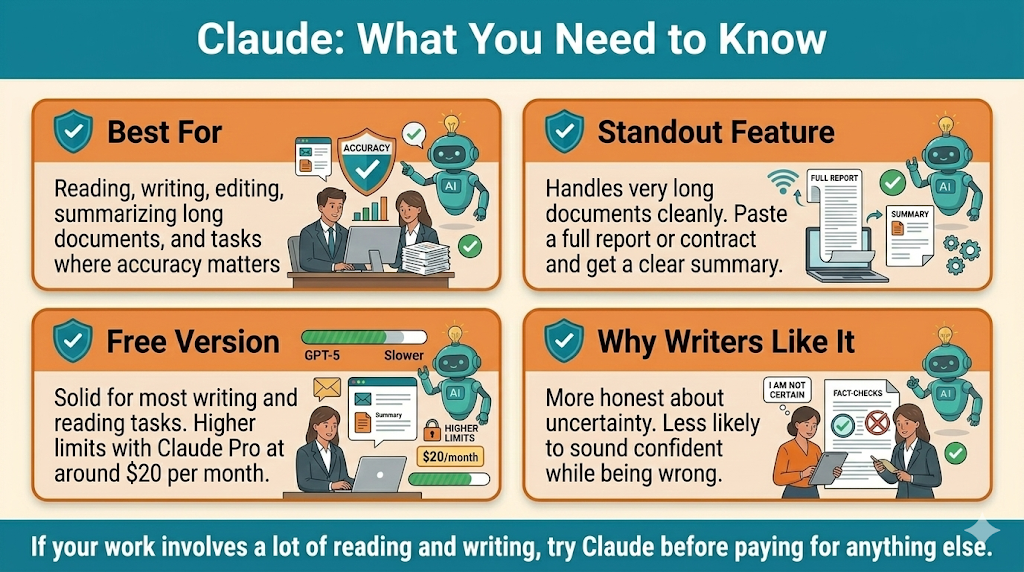
Claude is made by a company called Anthropic, and it has quietly become the preferred tool for anyone whose work involves a lot of reading, writing, or careful thinking. If ChatGPT is the versatile generalist, Claude is the thoughtful writer. It produces cleaner prose, handles long documents better, and tends to be more careful about admitting when it does not know something rather than guessing confidently.
One of Claude’s biggest practical advantages is its ability to handle very long documents. You can paste in a lengthy contract, a report, a research paper, or even a full book chapter and ask Claude to summarize it, find specific information, or explain it in plain language. ChatGPT can do this too, but Claude handles it more smoothly and tends to stay more accurate across longer pieces of text.
Claude is also notably more cautious in a way that many users appreciate. It is less likely to produce confident-sounding nonsense, more likely to say “I am not certain about this” when appropriate, and generally more consistent in tone across a conversation. For writing tasks in particular, editing, drafting, summarizing, and explaining, it is the tool many professional writers and researchers have shifted to as their daily driver.
The free version is solid for most tasks. The paid version, called Claude Pro, is around $20 per month and gives you higher usage limits and access to the most powerful version of the model. If your work involves a lot of document-heavy tasks or you write frequently, Claude is worth trying before defaulting to a paid ChatGPT subscription.
Claude also has a desktop app with a feature called Cowork that lets you work with files on your computer directly. You can point it at a folder, and it can read, summarize, or work with your documents without you having to copy and paste anything. It is more advanced than what most beginners need on day one, but it is worth knowing it exists when you are ready to go deeper.
Gemini: The One That Connects to Your Google Life
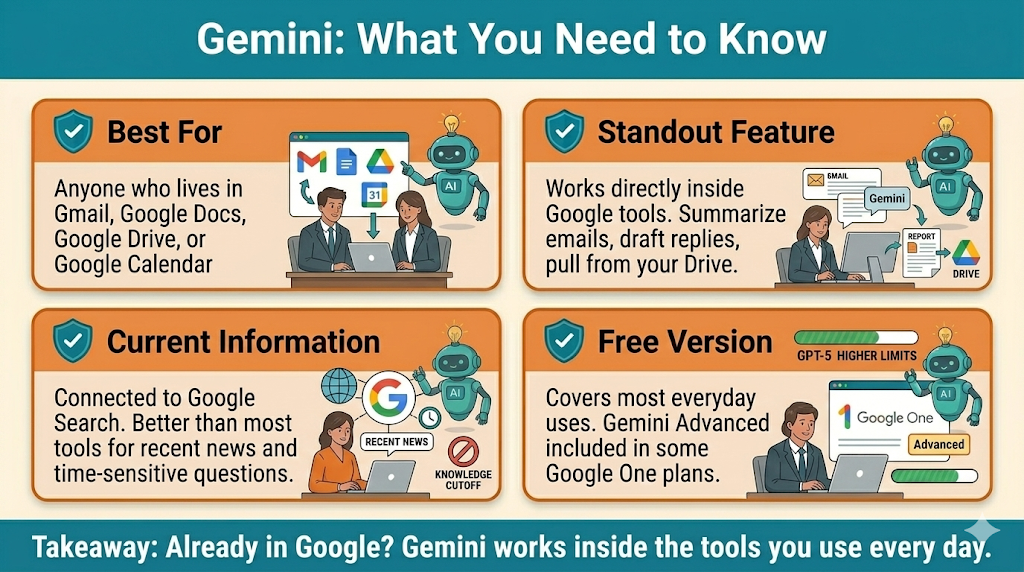
Gemini is Google’s AI tool, and its biggest advantage is integration. If you use Gmail, Google Docs, Google Drive, Google Calendar, or any other Google product, Gemini can connect directly to those services. That means you can ask it to summarize your emails, draft a reply in your Gmail, pull information from a document in your Drive, or help you plan your schedule based on what is already in your calendar. No other tool on this list does that out of the box.
For anyone whose work and personal life runs through Google products, that integration alone makes Gemini worth having alongside whatever other AI tool you use. It is not necessarily the strongest writer or the most careful reasoner, but the ability to work directly inside the tools you already live in is genuinely useful and hard to replicate elsewhere.
Gemini also has strong access to current information. Because it is built by Google, it connects naturally to Google Search and tends to have better awareness of recent events than tools that rely on a fixed knowledge cutoff. If you frequently ask AI tools about current news, recent changes to a product, or anything time-sensitive, Gemini handles those queries well.
The free version covers most everyday uses. Gemini Advanced, which is part of the Google One AI Premium subscription at around $20 per month, gives you access to the most powerful version of the model and deeper integration across Google Workspace. If you are already paying for Google One storage, it is worth checking whether your plan includes Gemini Advanced.
Microsoft Copilot: Already Sitting Inside Your Work Tools
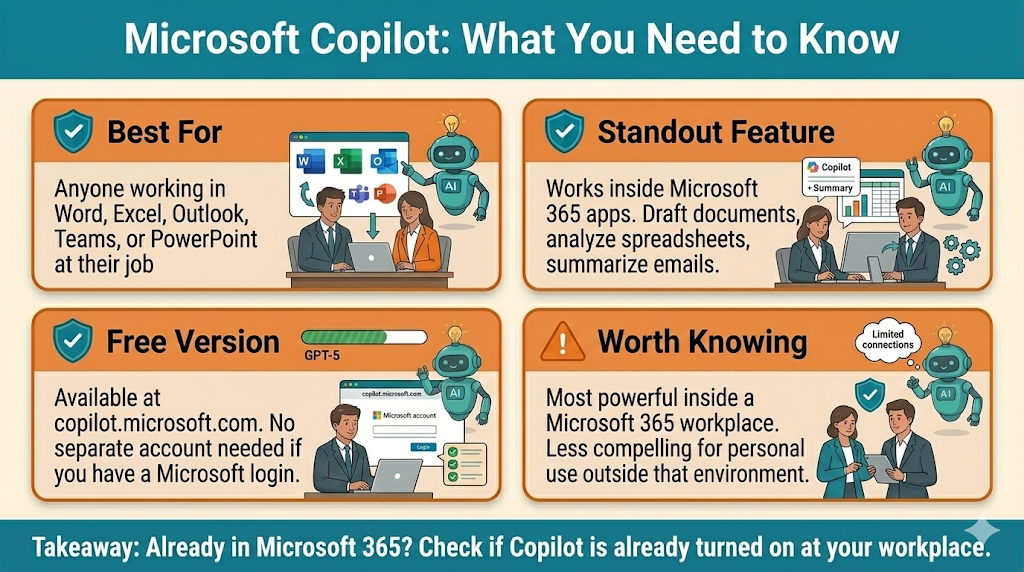
Copilot is Microsoft’s AI tool, and like Gemini, its strongest selling point is where it lives rather than what it can do in isolation. If your workplace runs on Microsoft 365, meaning Word, Excel, Outlook, Teams, and PowerPoint, Copilot can work directly inside those applications. It can draft a Word document, analyze data in Excel, summarize a long email thread in Outlook, or generate a presentation outline in PowerPoint, all without leaving the app you are already working in.
The free version of Copilot is available at copilot.microsoft.com and is actually powered by the same underlying technology as ChatGPT, since Microsoft has a significant investment in OpenAI. That means the standalone free version of Copilot is a reasonable alternative to ChatGPT for general tasks, and it does not require a separate account if you already have a Microsoft account.
Where Copilot becomes genuinely powerful is in a Microsoft 365 workplace environment. The paid Copilot for Microsoft 365 license, which is typically purchased at the organizational level rather than by individuals, unlocks the full integration with Word, Excel, Teams, and the rest of the suite. If your employer has rolled this out, learning to use it is one of the most practical things you can do right now to stay current with AI at work.
For personal use outside a Microsoft workplace, Copilot is a solid free option but does not have a strong reason to be your primary tool unless you are already deep in the Microsoft ecosystem. The free version at copilot.microsoft.com is worth bookmarking as a backup, particularly because it does not have the same daily usage caps that the free versions of ChatGPT and Claude do.
Side by Side: Which One for Which Job
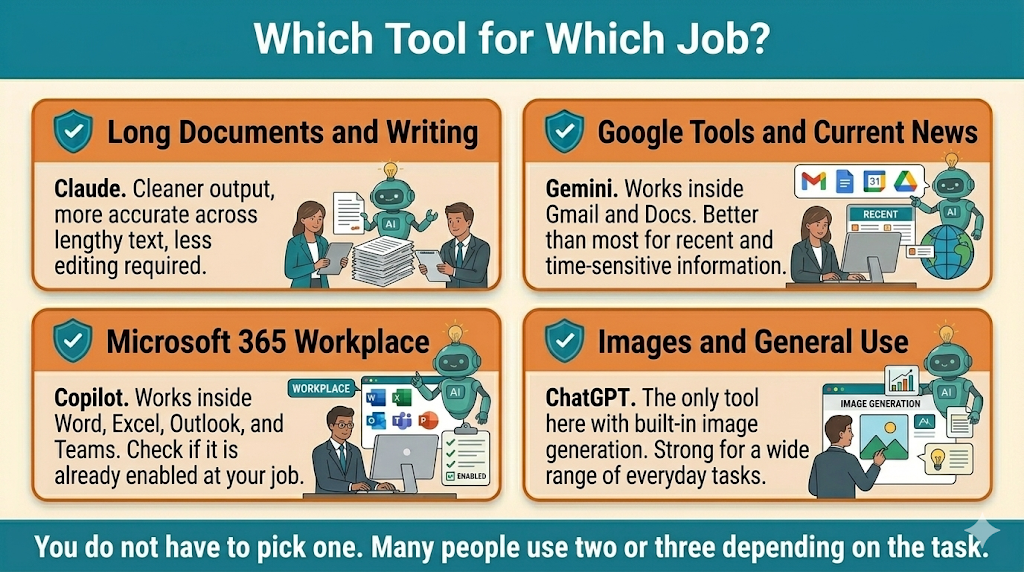
Rather than declaring one tool the winner, here is a practical guide to which tool fits which situation best. For general questions and everyday tasks, ChatGPT and Claude are both strong choices. Start with whichever you are already comfortable with. For reading and summarizing long documents, Claude is the standout. Its ability to stay accurate and coherent across lengthy text is noticeably better than the others. For writing that needs to sound natural and well-crafted, Claude again tends to produce cleaner output with less editing required. For anything connected to Google, including emails, documents, and calendar planning, Gemini is the obvious choice because of its direct integration. For workplace tasks inside Microsoft 365, Copilot is the answer, particularly if your organization has already enabled it. For current news and time-sensitive information, Gemini has a natural advantage because of its Google Search connection. For image generation, ChatGPT is the only tool on this list with a built-in image creation feature in its standard interface.
If You Are Thinking About Building an Online Business
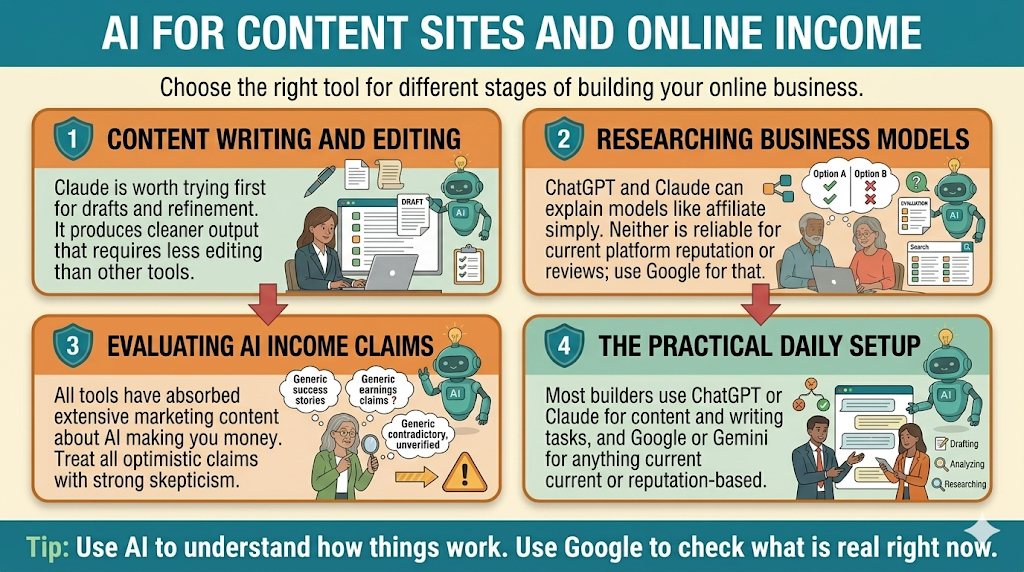
The general comparison above is useful, but if you are specifically researching whether AI can help you build an online income, the tool question looks a little different. You are not just looking for the most versatile tool. You are looking for the right tool for the specific tasks that come up when you are building and running a content site or an affiliate business.
For content writing, editing, and drafting, Claude is worth trying first. The cleaner output and better consistency across longer pieces means less editing on your end. If you are writing blog posts, email sequences, or product descriptions regularly, the difference between Claude and the others becomes noticeable quickly. That said, ChatGPT handles content work well too, and since most people start there, it is a perfectly reasonable choice.
For research, Claude and ChatGPT are both useful for understanding how things work in general terms, business models, platform comparisons, how affiliate programs are structured. But neither one is reliable for current reputation, recent reviews, or anything that could have changed in the last few months. For that you still need Google. Think of AI as the tool that helps you understand what you are looking at, and Google as the tool that shows you what is actually there right now.
For evaluating AI income claims specifically, use all of them with skepticism. Every major AI tool has absorbed a significant amount of marketing content about what AI can do for your income. When you ask any of these tools whether a specific program or approach is worth pursuing, you may be getting an answer shaped by that same promotional content. That is not a reason to avoid AI tools. It is a reason to treat them as a starting point for your research, not the final word.
The practical setup most people building online end up with: ChatGPT or Claude for daily content and writing work, Gemini or a search engine for anything current or reputation-based, and their own judgment for any decision that involves spending money. That combination covers the real workflow without paying for multiple subscriptions before you know what you actually need.
Do You Need to Pay for Any of Them?
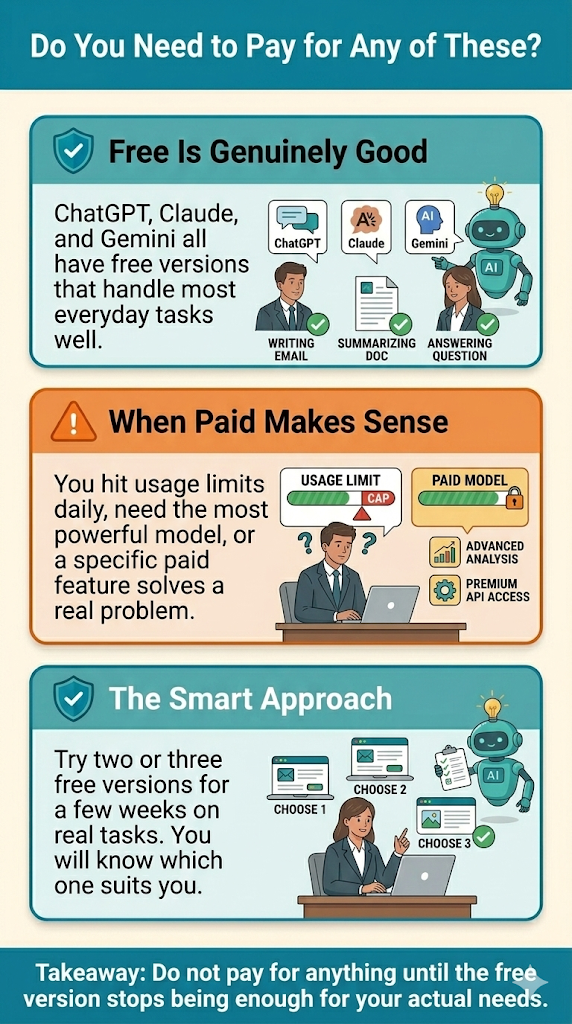
For most beginners, no. The free versions of ChatGPT, Claude, and Gemini are all genuinely capable and cover the vast majority of everyday tasks. The paid versions are worth considering if you use AI heavily every day and keep running into usage limits, if you need the most powerful version of a model for complex or professional work, or if a specific paid feature solves a real problem you are hitting regularly. None of the paid tiers are worth purchasing out of curiosity or because you feel like the free version is not “real” AI. The free versions are real. They are just limited in how much you can use them before hitting a cap.
The smartest approach for most people is to try the free versions of two or three of these tools for a few weeks with tasks from your actual life and work. You will quickly develop a sense of which one fits how you think and what you need. That is a much better basis for a purchasing decision than any comparison article, including this one.
The Bottom Line
You do not have to pick one and stick with it forever. Many people use two or three of these tools depending on the task. ChatGPT for general use, Claude for writing and documents, Gemini when working in Google, Copilot when working in Microsoft. They are all free to try and none of them requires a long-term commitment to get started.
The biggest mistake most beginners make is assuming ChatGPT is the only serious option because it is the most famous. Try Claude for your next writing task. Open Gemini inside your Gmail. Check whether Copilot is already available in your workplace. You might find that the tool that suits you best is not the one you have been using all along.
Not sure if the paid version is worth it?
Read ChatGPT Free vs Paid: Is the Upgrade Actually Worth It? for a straight answer on whether spending $20 a month makes sense for your situation.